
Six out of ten mid-market companies are already spending at least a million dollars a year on AI. Sounds like great news, right? If companies are willing to spend that kind of money on AI, the technology must be working.
But look a little closer, and the story changes pretty quickly. An MIT study found that about ninety-five percent of generative AI projects don’t deliver any measurable financial return for the business.
Now, you might think the obvious explanation is that the technology just isn’t ready for real businesses yet. But that’s not really the problem. The real problem is that AI is a classic case of a solution looking for a problem.
Researchers and engineers built something impressive, and now everyone is trying to figure out how to use it in their business instead of starting with the problem they actually need to solve.
So if you’re thinking about bringing AI into your business, start by figuring out where you’d use it and whether you need it there in the first place. Because AI doesn’t pay off in every part of your business.
And if you’re not sure whether a task is worth automating with AI, keep reading. In this article, I’ll show you where AI can really help your business and where you’re probably just wasting your money.
What AI actually is
Before we get to the real question, where AI is worth using in your business and where it isn’t, let’s back up for a second and talk about what AI is.
Start with the name itself: “artificial intelligence.” It’s a little misleading. Technically, sure, it is artificial intelligence. But the name sounds so big that it can make you think AI actually thinks and reasons the way a person does. But in reality, that’s not really how it works.
When people talk about AI these days, they usually mean large language models, or LLMs. There are a handful of leading models on the market right now. Anthropic has Opus, Fable, and Sonnet. OpenAI has Sol, Terra, and Luna. xAI has Grok, Google has Gemini, and among the Chinese models, there’s Kimi.
So there’s no shortage of options. Plenty of models, plenty of capability. But here’s what you need to understand: the model by itself isn’t a finished business tool.
Take one of these models straight out of the box, open a chat window, and start talking to it, and honestly, you’ll probably be a little disappointed. Not because the model isn’t smart or capable. It knows a lot, and it can do a lot. The problem is that it doesn’t know anything about you yet. It doesn’t know your business, your customers, your processes, or what you’re trying to get done.
Here’s an easy way to think about it. Imagine your memory was completely wiped, but you somehow kept all your skills and everything you know. You can still write, analyze information, solve problems, and answer questions. The problem is, you don’t remember who you are, what you do, how you normally work, what you did yesterday, or what you’re supposed to be doing today.
That’s basically what you get with a model on its own. It knows a ton, but without any context, it has no idea what to do with all that knowledge in your specific situation.
So for a model to become useful, you need to build something around it. People often call that a harness. That includes things like memory, context, instructions, access to the right data, and all the other pieces that help the model understand what it’s supposed to do. And in some cases, that whole setup can be more complicated than the model itself.
I’m not going to go too deep into the technical side here. I’ll probably cover the harness in more depth in a separate article at some point and explain how it works and why it makes such a big difference.
For now, just remember one thing: a model on its own and that same model with a well-built harness around it are two very different things when it comes to what they can do for a business.
There’s one more thing you need to know concerning AI: the context window. In simple terms, it’s basically the model’s working memory, or how much information it can keep track of at once while it’s working on a task.
Right now, context windows are kind of where computer memory was decades ago. Back then, even a few kilobytes felt like a lot. Today, a regular smartphone has millions of times more memory.
AI context windows are going through something similar right now. They’re growing fast, but they’re still pretty limited.
And that limit really matters when you’re deciding what to hand off to AI. Small, clearly defined tasks usually work just fine. But give a model one huge job all at once, like building an entire CRM system from scratch, and sooner or later it starts running out of context. It forgets what it already did, starts making things up, and eventually can even break something it built earlier.
Most business tasks aren’t that big, though. There are plenty of smaller tasks AI can already handle really well. So the real question is: which ones are worth handing off to AI?
Where AI pays off
To keep it simple, there are three main types of tasks where AI can help your business today.
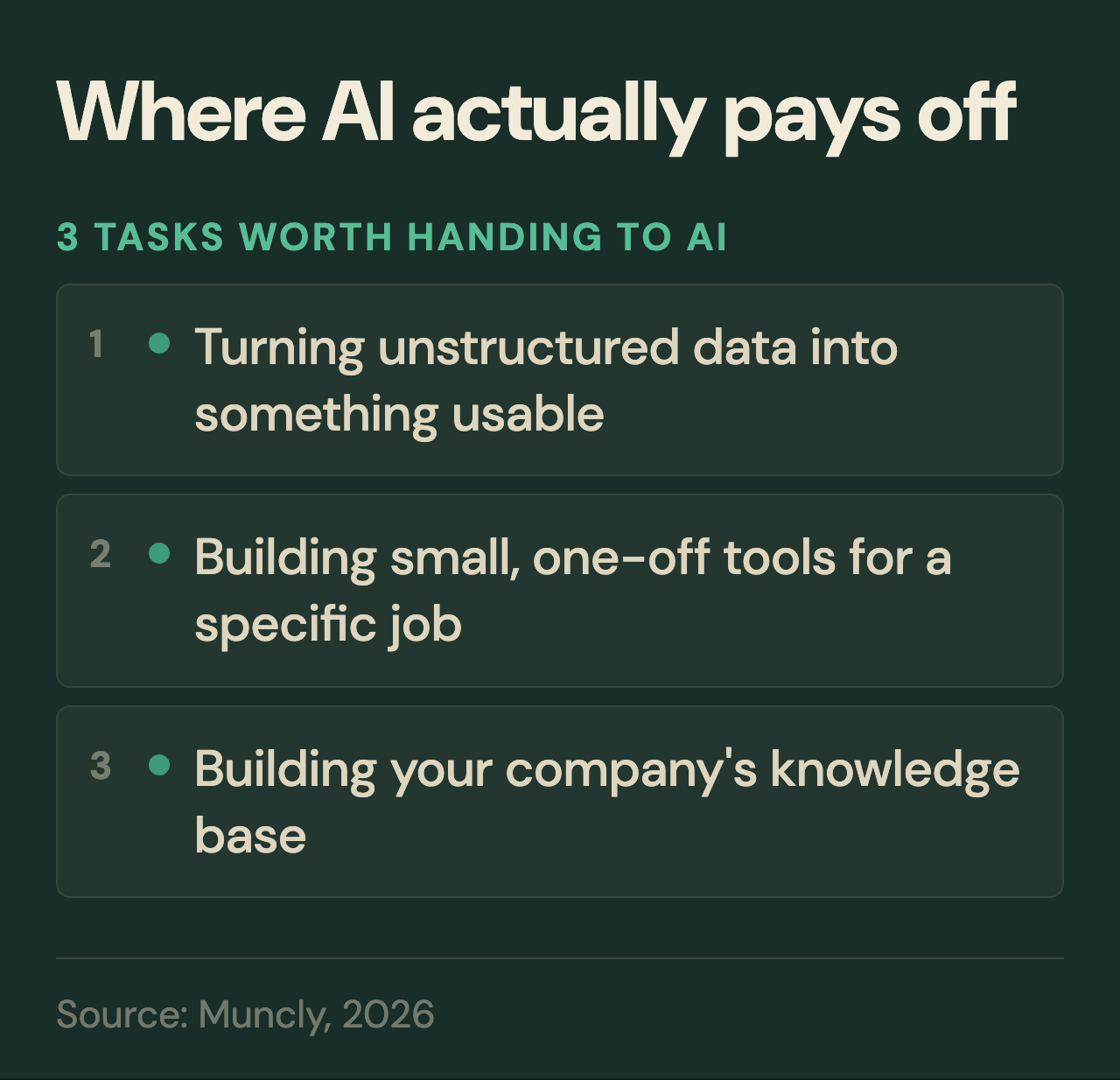
Turning unstructured data into something usable
The first is working with unstructured data. AI is really good at taking messy information and turning it into something structured and useful. Let me give you a real example.
Picture this: your team has been keeping customer data in one massive spreadsheet for years. The company names are mostly there, but everything else is a mess because everyone entered information in their own way. One person wrote notes one way, someone else did it differently. Some people used one date format, others used another, and some just left fields blank.
So technically, you’ve got a ton of data, but you can’t really do much with it. You can’t quickly build a report, compare customers, or spot any patterns because someone has to clean everything up first.
And that’s exactly where AI can help. You can give it the entire file, have it go through every row, understand what the data means, and organize it into a clean structure you can use for reporting going forward.
The same idea works with other kinds of unstructured data too.
Take call transcripts, for example. You might have a thousand conversations between your reps and customers, and going through all of them by hand would take forever. It probably wouldn’t even be worth the effort. AI can take those transcripts and turn them into clean, structured data.
For example, you could ask AI to figure out how the customer felt during each call, group those reactions into a few simple categories, and put everything into a spreadsheet. And it wouldn’t just give each call a label. It could also show you which words and parts of the conversation led to that conclusion.
On the surface, this looks like pretty simple automation that almost any business could use.
But now let’s make it a little harder. What if the answer isn’t right there in the data? What if AI has to understand the context, draw its own conclusion, and figure out what actually matters to the business? The good news is, it can handle that really well too.
Here’s a real example from our work at Muncly. We have a client in the UK and Ireland that sells roofing materials. On the surface, it’s a pretty straightforward business. But there’s one interesting thing about that market: construction projects are published in public government databases.
Sounds like a goldmine of potential customers, right? Well, there’s a catch. There are tens of thousands of these projects, and the database usually doesn’t tell you what kind of roof a building is going to have.
You might see that a new skyscraper is being built, for example. But nowhere does it say, “This building will have this type of flat roof.” You have to figure that out yourself based on the context. You need to look at what’s being built, understand what kind of building it is, and decide whether that project is likely to need the products our client sells.
If you tried to do that by hand, someone on the team would have to go through thousands of listings every week and decide, one by one, which projects are worth pursuing.
We found a way to automate that whole process with AI. We built a setup that combines Claude with a tool called Firecrawl, which can go through these kinds of databases and pull out the information we need.
Now the system goes through tens of thousands of projects on its own every week and narrows them down to just five that are worth checking by hand. Instead of going through thousands of listings themselves, the client gets a short list of the projects that are most likely to be relevant.
And AI’s usefulness goes beyond just working with data.
Building small, one-off tools
The second type of task where AI can be useful for your business is building small, one-off tools for specific jobs.
And this is exactly where that context window we talked about earlier comes back into play. The bigger the task, the more information the model has to keep track of at once.
So asking AI to build a big, complex system from scratch usually isn’t a great idea. But writing a small program for one specific task? That works.
Let’s skip the theory and go straight to an example. You want to run a financial audit and find duplicate subscriptions that different employees have signed up for over the years. Going through thousands of transactions by hand to find them would be almost impossible.
But if you ask AI to write a small program built specifically for that job, it becomes a lot more realistic. AI can build a one-off program that goes through every transaction, flags likely duplicates, and give you a clean list to review.
Basically, you run it once, get what you need, and then delete it because you probably won’t need that program again.
Or here’s another example. You’re heading to a trade show in a few days, and you need to quickly put together a landing page for the event, a form people can open with a QR code at your booth, and maybe a simple animation for the screen.
In the past, you’d probably need a few different tools, set each one up separately, and then connect them all together. Now you can just tell AI what you need, and it can build a working solution for that specific job pretty quickly.
There’s one important catch, though. You have to be really clear about what you want, because AI still can’t do the thinking for you.
One more example, this time from everyday work. You can teach AI to read your inbox and work with your emails for you.
Say you work with suppliers, and they send you orders by email as PDF attachments. Right now, your team probably opens each email, downloads the PDF, pulls out the information they need, and manually enters it into your CRM or ERP system.
You can automate that whole process with AI. It can find emails from the right supplier, download the PDF, read it, pull out the information you need, and automatically create the order in your CRM or ERP. Your team no longer has to go through all those steps manually every single time.
Building your company’s knowledge base
But AI can do more than just automate tasks. There’s a third type of task where it can bring a completely different kind of value to your business: building your company’s knowledge base.
And here I’m going to say something that might sound a little strange at first: start recording almost every important conversation that happens inside your business.
Yeah, I know, that sounds a little like “Big Brother is watching you.” But this isn’t about keeping tabs on your employees. The idea is to slowly build a clear picture of how your business works, then use AI to analyze it and find ways to improve your processes.
Down the line, AI can basically work like a really capable business analyst. It can go through huge amounts of information, understand how your business works, and map out your processes step by step. But AI needs a lot of data to do that. So start collecting it now.
If you record your important conversations, meetings, and work discussions, AI will have enough information to filter out the noise, ignore what isn’t relevant, and piece together how a process works from start to finish, even when that information is scattered across hundreds of different conversations.
For example, AI could map out your entire order fulfillment process, from the moment a customer places an order to the moment it gets packed and shipped.
And that’s just one example. You can basically use AI like a business analyst for almost any process in your company, including sales.
Take sales, for example. You record your reps’ calls and meetings with customers, and over time, you build up a huge amount of information about how your sales team works.
From there, you can connect those recordings to your CRM data and see which conversations led to a closed deal and which ones didn’t.
Then you can give all of that context to AI and ask it to figure out what separates the calls that closed from the ones that didn’t. It can look at which questions your reps asked most often, which objections came up, where conversations usually started to go off track, and what your best salespeople did differently.
Based on all of that, AI can spot real patterns and show you what you could change in your sales process to get better results overall.
And this opens up a whole new opportunity, because manually going through, say, two hundred hours of customer calls just isn’t realistic. AI can process all of that, compare the calls, and help you spot patterns or details that a person would never have had time to catch.
At first glance, this almost sounds too good to be true. Record your calls, give them to AI, and get back a full analysis with clear recommendations. But there’s a catch.
Just giving AI all your recordings and saying, “Analyze my sales,” isn’t enough. If you want a useful answer, you need to ask a much more specific question.
For example, instead of just saying, “Analyze my sales,” try something more specific: “Compare the calls from won deals with the calls from lost deals and show me what our reps do differently when we win. Then break down the main reasons we lose deals and suggest what we could change in our sales process.”
The more specific you are about what you want AI to look for, the better the answer you’ll get. Keep the question too broad, and AI can start making really general assumptions or even finding patterns that aren’t there.
At this point, I could probably wrap up the part about where AI can add real value to your business.
But there’s one more type of task I should mention. I wouldn’t really call it a full fourth category, though. It’s more like an extension of the third one, because it connects directly to what we just talked about.
Building a system of skills
I’m talking about building a system of skills inside your business. Simply put, a skill is just a clear way to do a specific task: what steps to follow, what to pay attention to, and what a good result should look like.
And this is exactly where that knowledge base we talked about earlier becomes so important. The more AI knows about how you and your team do the work, the better it can understand the patterns behind it and start helping you do that work better.
Here’s a simple example. Say you’re a real expert in your field. You’ve spent your whole career working with, I don’t know, milk pasteurization, and you know pretty much everything there is to know about it. But you hate writing. You don’t want to run a blog, write articles all the time, or spend hours creating social posts. That’s exactly the kind of work you can hand off to AI.
Instead of sitting down and writing an article yourself, you can just talk through your ideas out loud. It doesn’t have to be polished or well organized. Just say whatever comes to mind, almost like a stream of consciousness.
From there, if you set AI up properly and give it enough examples, you can build a dedicated skill that turns your raw thoughts into finished articles.
Over time, AI will start picking up on how you think, the points you tend to make, the examples you use, and how you usually explain complicated things. Eventually, it can take that raw stream of thoughts, organize it, and turn it into something you can publish.
So you don’t have to become a blogger. You can keep doing what you’re actually good at, while AI helps turn your knowledge into content that can bring in new customers.
There’s a catch here too, though. Right now, there still aren’t many tools that make it easy to build these kinds of skills or automate the whole process. And the tools that do exist can be pretty complicated. This definitely isn’t something you set up with one click.
Building a skill that works takes real expertise, time, some experience setting things up, and maybe most importantly, knowing how to give AI clear instructions.
But I think that’s mostly just a matter of time. The market is going to keep growing, more tools are going to show up, and the whole process of building and setting up skills is going to get a lot easier.
Where AI doesn’t pay off
At some point, you’ll probably catch yourself thinking AI has gotten so good that you can just hand it almost anything.
And that’s exactly the trap I’d watch out for. Because AI isn’t automatically the right choice for every task. Let me give you a few examples of where I wouldn’t recommend using it.
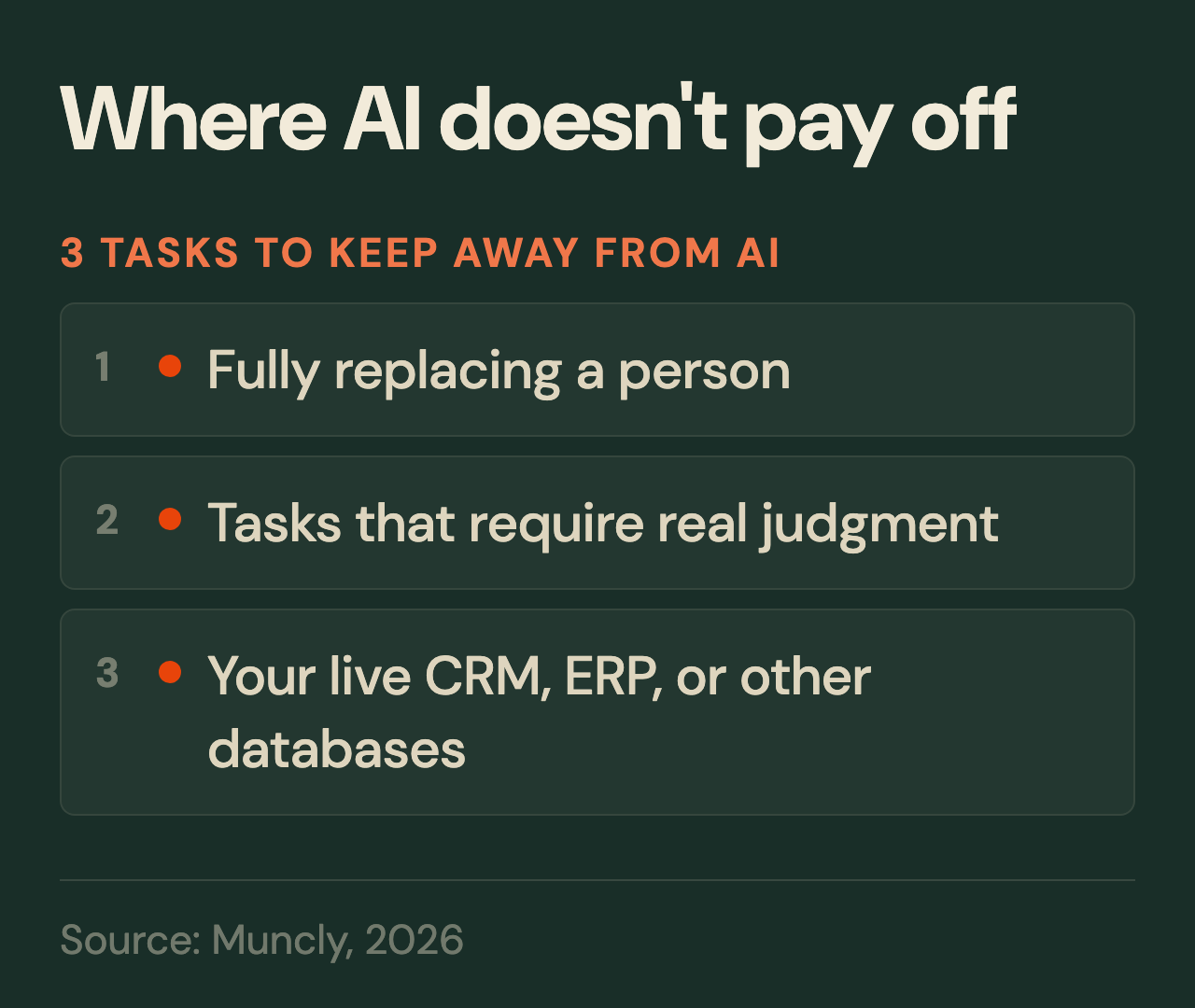
Fully replacing people
First, I wouldn’t try to fully replace a person with AI.
Yes, AI can be a powerful helper for your team. It can take routine work off their plate and handle parts of the job. But once you try to take people out of the process completely and hand everything over to AI, that’s when things usually start to go wrong.
Take sales, for example. AI can help your rep prepare for a call, pull together information about a customer, review past conversations, draft a follow-up, or flag what to pay attention to before a meeting. But fully replacing a real salesperson, especially when it comes to complex sales, is still something AI can’t really do.
Same story with customer support. You can put a solid AI chatbot on your website, connect it to your knowledge base, and let it handle common customer questions.
As long as the customer is asking something common and the conversation stays within a familiar scenario, it works fine. But as soon as something unusual comes up, especially something that isn’t covered in your knowledge base, the bot can start stumbling, giving vague answers, or simply misunderstanding the question.
Tasks that require real judgment
Second, I wouldn’t trust AI with tasks that require real judgment. AI can work really well with your ideas, facts, and other material. But if you don’t give it something solid to work with, don’t expect a great result.
You see this most clearly with writing. Say you just tell AI, “Write me an article about AI in business.” Sure, it’ll write one. But what you get will probably be generic, because you didn’t give it your own ideas, your own experience, your own examples, or any real direction on what you wanted to say.
Your live databases
And third, I wouldn’t let AI work directly with your live databases.
I wouldn’t give AI full access to your CRM, ERP, or any other live system. AI is still far from perfect, and it can get things wrong. It can delete important information, update the wrong records, or even break something in the system. Mistakes like that can cause real damage to your business.
To sum up
There are a lot of ways to use AI. In some cases, it can really pay for itself. In others, you’re just throwing money away.
So before you go out and buy the next AI tool that catches your eye, take a minute and think about what you’re trying to automate and what you want AI to do for you.
If you’re still not sure where AI automation could help your business, come talk to us for a free AI audit. We’ll go through your processes, figure out where automation makes sense, what kind of results you can expect, and which tools are worth using.